Skip to content

Your music, bit for bit.

Synara is a music server you run on your own hardware. Your FLAC, WAV and AIFF files stay lossless, and native apps on Android and desktop play them the way they were recorded.

The server is open source under GPL-2.0. The apps are free.

Level

One server. Every device you listen on.

You run Synara once, at home or on a server you rent. Your apps connect to it, wherever you are. Nothing goes through a service you don't control.

Source Online

Your server

Any machine that runs Docker

Library
FLAC, WAV, AIFF
Streams as
Original, or Opus / AAC
Database
SQLite or Postgres
Lives at
your-server:8080
  • Android

    Android 12 and newer. Offline downloads, a player widget.

  • Desktop

    Linux, Windows and macOS. Visualizer, lyrics, Discord presence.

  • Apple Coming soon

    iOS, iPadOS, macOS, tvOS, watchOS and CarPlay.

Also works with any Subsonic-compatible player, and with AI assistants that speak MCP.

Your music, bit for bit.

Synara is a music server you run on your own hardware. Your FLAC, WAV and AIFF files stay lossless, and native apps on Android and desktop play them the way they were recorded.

The server is open source under GPL-2.0. The apps are free.

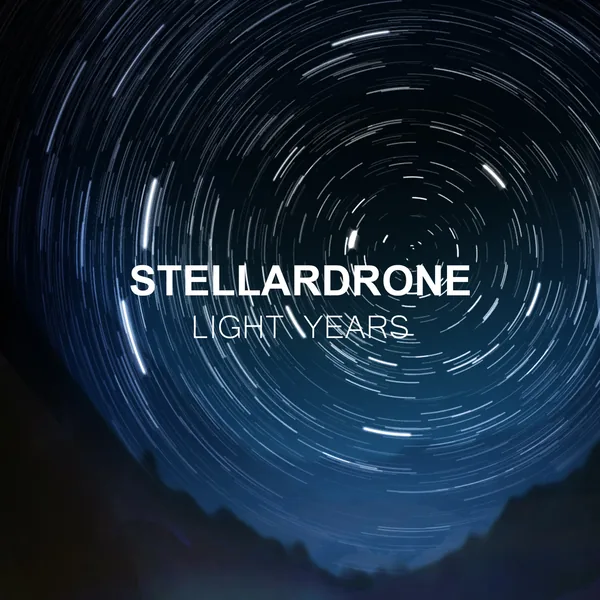
Light Years

Stellardrone

Cover: Light Years by Stellardrone, CC BY 4.0

One server. Every device you listen on.

You run Synara once, at home or on a server you rent. Your apps connect to it, wherever you are. Nothing goes through a service you don't control.

Your server

Any machine that runs Docker

Library
FLAC, WAV, AIFF
Streams as
Original, or Opus / AAC
Database
SQLite or Postgres
Lives at
your-server:8080

Apps

  • Android

    Android 12 and newer. Offline downloads, a player widget.

  • Desktop

    Linux, Windows and macOS. Visualizer, lyrics, Discord presence.

  • Apple Coming soon

    iOS, iPadOS, macOS, tvOS, watchOS and CarPlay.

Also works with any Subsonic-compatible player, and with AI assistants that speak MCP.

Built for people who keep their own library.

Lossless at the source

Your library is kept in a lossless format: FLAC by default, or WAV/AIFF. Synara transcodes to Opus or AAC on the fly, or ahead of time, when a connection or download needs it. The lossless file stays untouched.

Bring your music

Import into your own library from the services you already use. Tidal imports use your own account and include Dolby Atmos.

Input
  • Tidal
  • Apple Music
  • YouTube
  • SoundCloud
MusicBrainz metadata
Tracks, albums and artists are matched and enriched from MusicBrainz, so credits and release info stay consistent.
Synced lyrics
Lyrics from Better Lyrics, Unison, LyricsPlus, KuGou, LRCLIB and YouTube Music, or your own .lrc, .ttml and .lyricsfile.yaml files next to the tracks. Word-synced, line-synced or plain, depending on the source, and you can pin the version you prefer.
Scrobbling and history
The apps scrobble to ListenBrainz and Last.fm, and the server imports your ListenBrainz history.
Shared listens
Two accounts on the same server that use the same ListenBrainz account can be linked, so their plays count as one listening history in recent listens, stats and top lists, and optionally in recommendations. An admin can link any two accounts.
Multi-device playback
On the Apple apps and desktop, share one queue across your devices and control playback on one device from another. Android devices can be controlled remotely too.
Radio and podcasts
Radio and recommendations built from your library and listening history, plus podcasts in the same apps.
Subsonic-compatible API
Keep using a Subsonic player you already like. It connects to `/rest` with a Subsonic password or API key you create in Synara.
MCP server
Let an AI assistant answer questions about your listening history. Read-only, nothing can be changed.
Plugins
Add importers, indexers, routes, scheduled tasks or screens with a Kotlin or Java plugin.
Philips Hue
Light sync during playback.
Backups
Backups and restore.

Desktop

Linux, Windows, macOS

  • MPRIS and a D-Bus API on Linux
  • Discord rich presence
  • Fullscreen visualizer and lyrics
  • Gapless playback

Android

Android 12 and newer

  • Offline downloads
  • A home screen player widget
  • Sleep timer

Apple

Coming soon

  • iPhone and iPad
  • Mac
  • Apple TV and Apple Watch
  • CarPlay

Built for people who keep their own library.

Lossless at the source

Your library is kept in a lossless format: FLAC by default, or WAV/AIFF. Synara transcodes to Opus or AAC on the fly, or ahead of time, when a connection or download needs it. The lossless file stays untouched.

The lossless file as it sits in your library, in FLAC, WAV or AIFF. Nothing is re-encoded.

Bring your music

Import into your own library from the services you already use. Tidal imports use your own account and include Dolby Atmos.

  • Tidal
  • Apple Music
  • YouTube
  • SoundCloud
  • MusicBrainz metadata

    Tracks, albums and artists are matched and enriched from MusicBrainz, so credits and release info stay consistent.

  • Synced lyrics

    Lyrics from Better Lyrics, Unison, LyricsPlus, KuGou, LRCLIB and YouTube Music, or your own .lrc, .ttml and .lyricsfile.yaml files next to the tracks. Word-synced, line-synced or plain, depending on the source, and you can pin the version you prefer.

  • Scrobbling and history

    The apps scrobble to ListenBrainz and Last.fm, and the server imports your ListenBrainz history.

  • Shared listens

    Two accounts on the same server that use the same ListenBrainz account can be linked, so their plays count as one listening history in recent listens, stats and top lists, and optionally in recommendations. An admin can link any two accounts.

  • Multi-device playback

    On the Apple apps and desktop, share one queue across your devices and control playback on one device from another. Android devices can be controlled remotely too.

  • Radio and podcasts

    Radio and recommendations built from your library and listening history, plus podcasts in the same apps.

  • Subsonic-compatible API

    Keep using a Subsonic player you already like. It connects to /rest with a Subsonic password or API key you create in Synara.

  • MCP server

    Let an AI assistant answer questions about your listening history. Read-only, nothing can be changed.

  • Plugins

    Add importers, indexers, routes, scheduled tasks or screens with a Kotlin or Java plugin.

  • Philips Hue

    Light sync during playback.

  • Backups

    Backups and restore.

The apps

Desktop

Linux, Windows, macOS

  • MPRIS and a D-Bus API on Linux
  • Discord rich presence
  • Fullscreen visualizer and lyrics
  • Gapless playback

Up in one compose file.

The smallest setup is a single container with SQLite. Add Postgres, a Redis cluster and the trained recommendation model later, when your library grows.

  1. 1Save the file as compose.yaml and change the secrets.
  2. 2Run docker compose up -d.
  3. 3Open the app, enter your server's address and log in.
compose.yaml (minimal)
services:
  synara:
    image: ghcr.io/dertyp7214/synara:latest-dev
    ports:
      - "8080:8080"
    environment:
      CLIENT_ID: admin                          # initial admin user (first run)
      CLIENT_SECRET: change-me                  # initial admin password
      JWT_SECRET: change-me-to-a-long-random-string
      DB_URL: jdbc:sqlite:/data/synara.db           # SQLite database file inside the data volume
      # CREDENTIALS_ENCRYPTION_KEY: ""          # openssl rand -base64 32
    volumes:
      - synara_data:/data
      - synara_config:/home/appuser/.config
      - synara_tiddl:/home/appuser/.tiddl
      - synara_backups:/backups
    restart: unless-stopped

volumes:
  synara_data:
  synara_config:
  synara_tiddl:
  synara_backups:

Get the apps.

Desktop for Linux, Windows and macOS. Android 12 and newer. Apple apps are coming soon.

Up in one compose file.

The smallest setup is a single container with SQLite. Add Postgres, a Redis cluster and the trained recommendation model later, when your library grows.

  1. Save the file as compose.yaml and change the secrets.
  2. Run docker compose up -d.
  3. Open the app, enter your server's address and log in.
compose.yaml (minimal)
services:
  synara:
    image: ghcr.io/dertyp7214/synara:latest-dev
    ports:
      - "8080:8080"
    environment:
      CLIENT_ID: admin                          # initial admin user (first run)
      CLIENT_SECRET: change-me                  # initial admin password
      JWT_SECRET: change-me-to-a-long-random-string
      DB_URL: jdbc:sqlite:/data/synara.db           # SQLite database file inside the data volume
      # CREDENTIALS_ENCRYPTION_KEY: ""          # openssl rand -base64 32
    volumes:
      - synara_data:/data
      - synara_config:/home/appuser/.config
      - synara_tiddl:/home/appuser/.tiddl
      - synara_backups:/backups
    restart: unless-stopped

volumes:
  synara_data:
  synara_config:
  synara_tiddl:
  synara_backups:

Get the apps.

Desktop for Linux, Windows and macOS. Android 12 and newer. Apple apps are coming soon.